Backups at silicon speed.
Atomic encrypts, deduplicates and backs up the folders you pick to a drive or cloud storage you own. No subscription. No storage middleman.
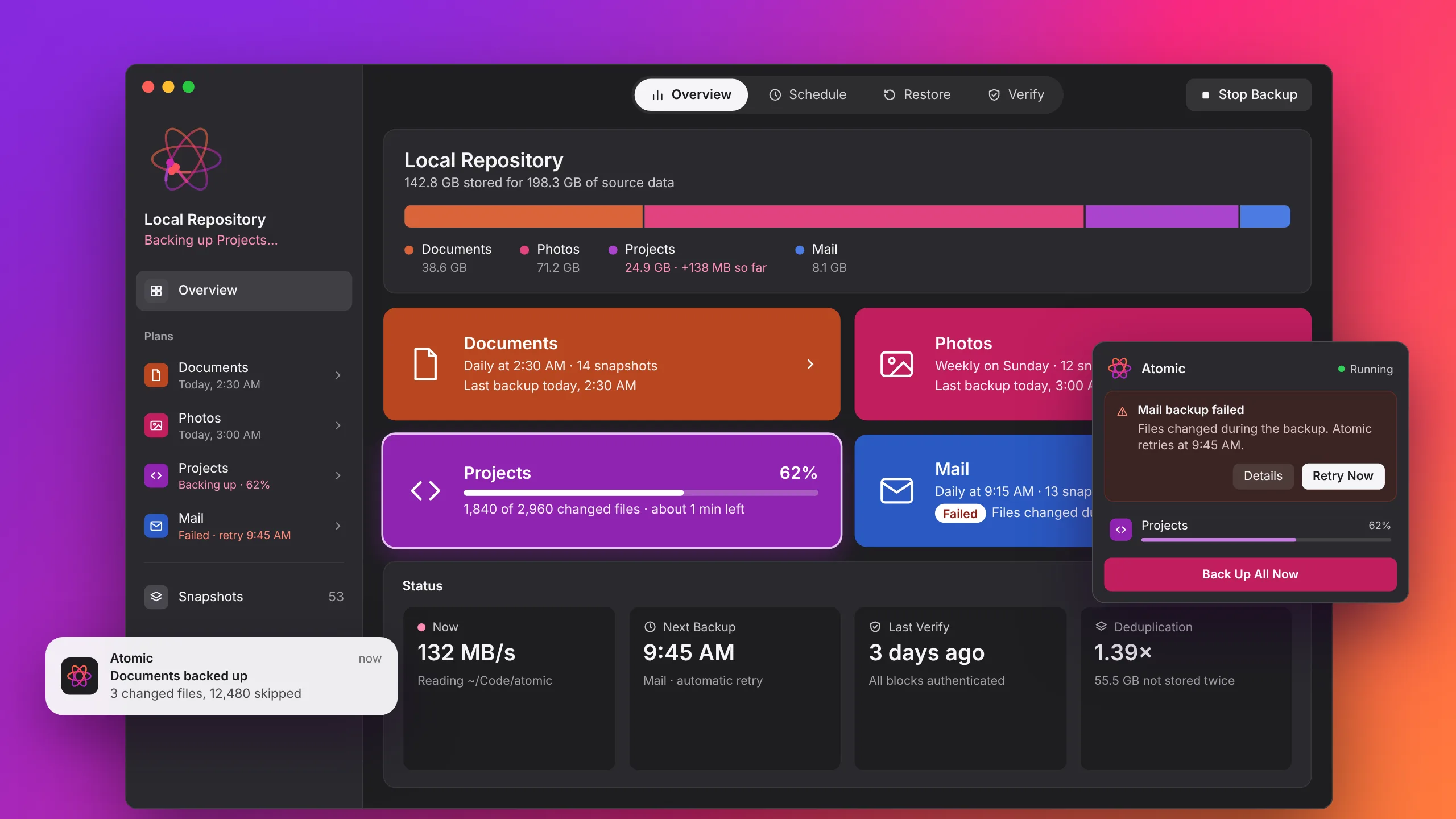
Only reads what changed.
After the first backup, Atomic knows which files you changed and skips everything else without opening it. Change one document in a folder of thousands, and only that document gets backed up.
Encrypted on your Mac. Readable only by you.
Every block is sealed with AES-256-GCM before it leaves your Mac. The key lives in your Keychain, never next to your backups. File names, paths and sizes are encrypted too, so your storage provider sees only opaque blocks.
Lose the Mac, not the data.
Keys sync through end-to-end encrypted iCloud Keychain. A 55-character recovery key unlocks your backups on any Mac.
Back up what matters. Skip what macOS can reinstall.
Pick folders and a schedule. No system images, no gigabytes of caches and app bundles you'd never restore.
Store each block once. Pay for it once.
Files are split into 4 MiB blocks. A block already in your repository is never stored again, across every folder and every snapshot. Smaller buckets, smaller cloud bills.
Solid: stored. Faded: already in the repository, skipped.You hear about it when a backup slips.
Plans run on a schedule in the background, even with Atomic closed. If a backup fails, Atomic tells you why in plain words and offers a one-click retry. If a plan falls behind, say a drive that's been unplugged for a week, it reminds you.
Undo what an agent deleted.
Coding agents and AI assistants can delete or overwrite a folder in seconds. Atomic never changes a snapshot after it's saved, so you can restore your files exactly as they were before the agent ran.
Check every stored byte against its fingerprint, whenever you like.
Bring back any snapshot into a new folder. Nothing gets overwritten.
A snapshot appears only after every block is on disk. A crash never leaves a half backup.
Atomic isn't a storage service.
You back up to a drive or bucket you own and pay your provider directly. Atomic only ever uploads encrypted blocks.
Local
FreeAtomic warns you if the backup sits on the same drive as the files it protects.
Cloud
 iCloud
 Google Drive
Amazon S3
Cloudflare R2
Wasabi
IDrive e2
Exoscale SOS
MinIO
Any S3-compatible store
Use your iCloud or Google account, or bring your own bucket and keys. Credentials stay in your Keychain, never in a config file.
Every feature included. Backs up to an external drive or network share.
Everything in Local, plus every cloud destination for backups and mirrors, for your own Macs and files.
Everything in Personal, licensed for work: a company, a client or a practice.
CLI Included
The atomic command uses the same plans and repository as the app. Script it, cron it, or let an AI agent set it up: atomic agents prints a guide written for one.
Questions
Which Macs does it run on?
Apple silicon Macs with macOS 26 or later.
Can Atomic or my cloud provider read my files?
No. Blocks and file lists are encrypted on your Mac, and the key never goes to the destination.
What if I lose my Mac?
Your key syncs through iCloud Keychain by default. On a new Mac, sign in or enter your recovery key, then restore.
Are there any limits when backing up to Google Drive?
Google limits each account to 750 GB of uploads to Drive a day, shared by every app that uploads to it, and about 1 TB of downloads. When Atomic reaches either limit, it saves its progress and picks up where it left off the next day. After your first backup, Atomic only uploads what changed, and restoring a few files downloads only what those files need, so you'll rarely hit either limit after that.
Are the prices really one time?
Yes. Atomic Pro is a one-time purchase, with no subscription: $19.95 for Personal, $34.95 for Business. One license covers one person on every Mac they own, and includes every update through Atomic 2.x. Your storage provider bills you separately for space.
Personal or Business?
They unlock the same features. Buy Personal to back up your own Macs and files. Buy Business if you use Atomic for work, such as a company, a client or a practice.